
Import contacts
Add many clients at once from your phone's contacts, or by pasting a list.
If you already have a book of clients, import them instead of typing each one in. On your phone you pick from your contacts. On the web you paste a list.
- Open the Clients tab and tap the download icon at the top right, next to +.
- In Import Contacts, find people with Search contacts or tap Select All.
- Tap the contacts you want. Anyone already on your list is marked Already a client.
- Tap Import and the number you chose, for example Import (3).
If asked, allow Pickleball Coach to read your contacts. On an empty list you can also tap Import from Contacts.
-
Open the Clients tab and tap the download icon at the top right. On an empty list, tap Paste a List.
-
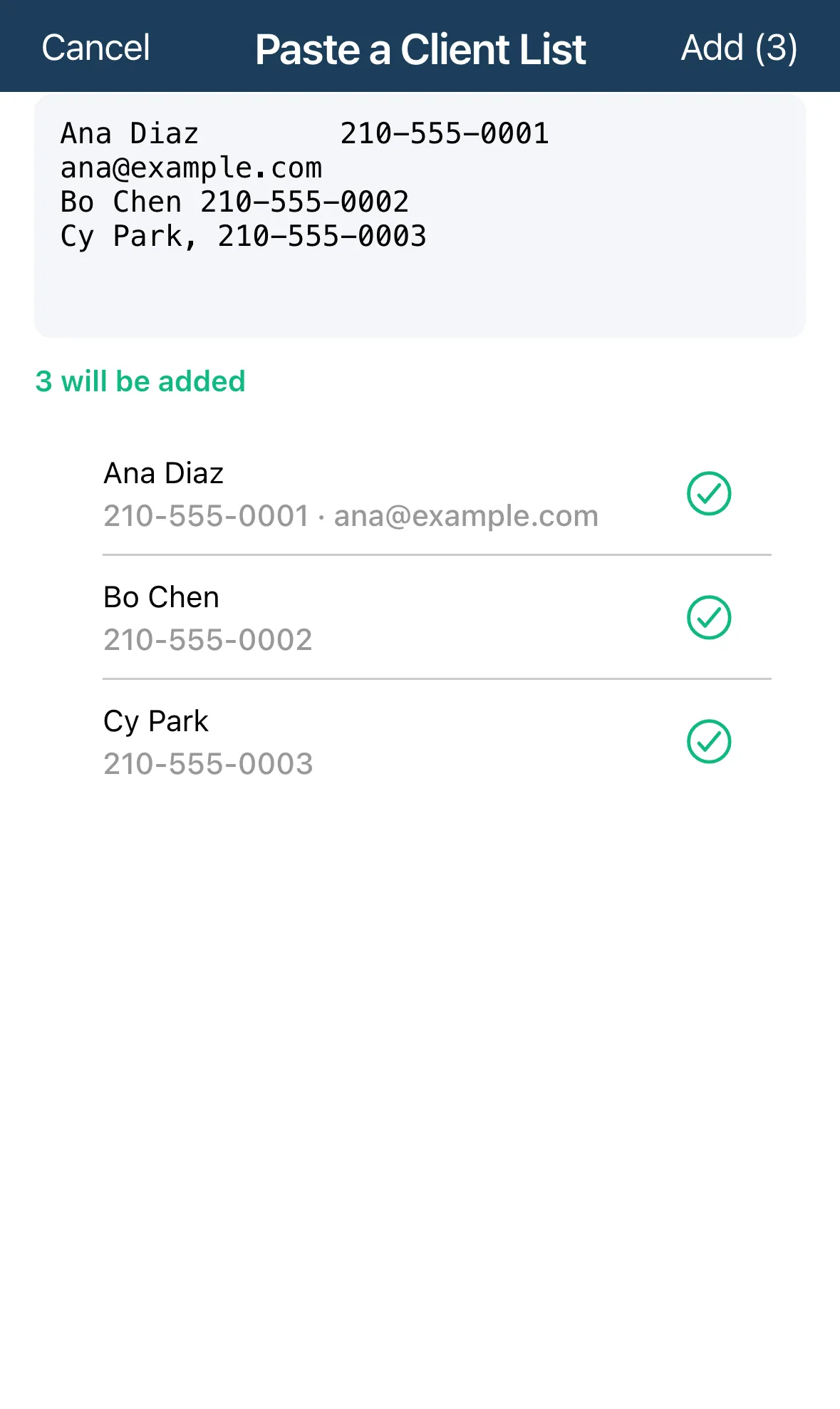
In Paste a Client List, paste one client per line as name, phone, email. The email is optional.
-
Check the preview under the box. will be added rows are good. Rows marked need attention say why, for example Needs a name or Needs a phone number.
-
Tap Add and the number of rows, for example Add (3).
You can copy the name, phone and email columns straight from Excel, Google Sheets or Numbers. A first row of headings such as Name, Phone is skipped.
Good to know
Section titled “Good to know”- Duplicates. Someone whose phone or email is already on your list shows as already clients and isn’t added again.
- Free plan limit. The free plan covers up to 5 clients. Anything beyond that is marked Over your 5-client plan: remove lines or upgrade to Pro to add them.
- Imported people don’t need your custom required fields. Fill those in later from each client’s page.